How to get stock tickers in Slack
TickerPal adds live stock, crypto, and currency quotes to Slack with one slash command. You stay in the conversation instead of bouncing out to a brokerage app or a finance homepage.
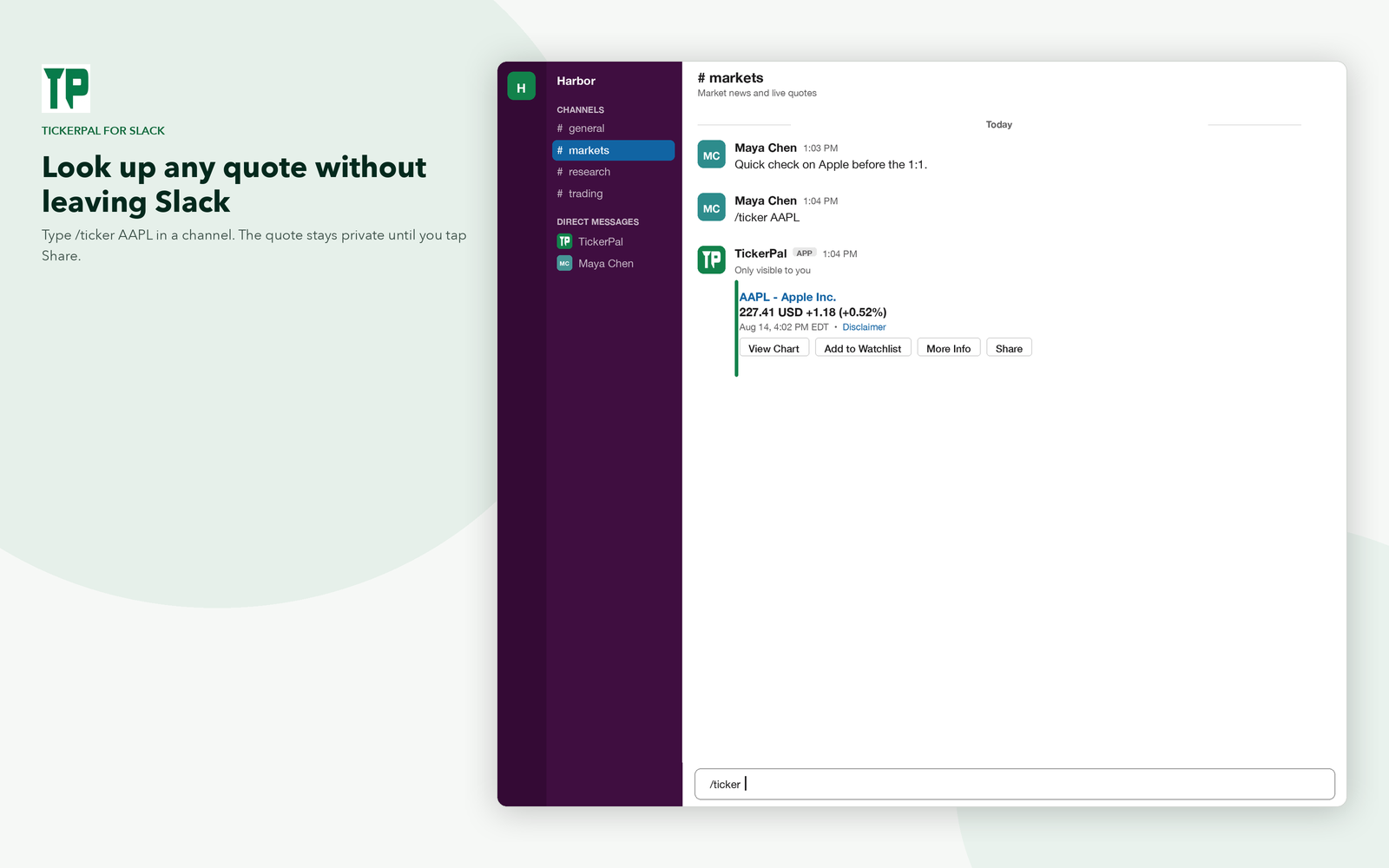
Install TickerPal, then type /ticker AAPL.

Why look up stocks in Slack
Teams already talk about earnings, tickers, and headlines in Slack. Switching to another tab to check a price breaks that thread. /ticker keeps the quote next to the discussion, private until you decide to share it.
1. Install TickerPal
- Click Add to Slack.
- Choose the workspace where you want quotes.
- Approve the permissions so TickerPal can run
/ticker, send weekday close recaps, and reply in its Messages tab. - In any channel or DM, type
/ticker helpto confirm it is installed.
You do not need a TickerPal website account. Install the Slack app, then look up quotes, build a watchlist, and get weekday market-close recaps from Slack.
2. Look up a stock quote
Type the slash command and a symbol:
/ticker AAPL
TickerPal replies with the company name, last price, and daily change. That first reply is visible only to you, so a busy channel is not flooded with lookups. From the quote card you can:
- Expand more info for open, high, low, volume, and related stats.
- Open a chart for the session.
- Show recent news headlines, then hide them the same way.
- Add the symbol to your watchlist.
- Share the quote with the channel when you are ready.
The same command works for other widely followed names:
Apple (AAPL) Microsoft (MSFT) Alphabet (GOOGL) Amazon (AMZN) Meta Platforms (META) NVIDIA (NVDA) Tesla (TSLA) Netflix (NFLX) All popular tickers
3. Charts, crypto, and FX
After a quote, tap the chart action to see how the name traded during the day. Crypto and foreign exchange use the same command with a USD pair. For the crypto walkthrough, see how to get crypto prices in Slack.
/ticker BTCUSDfor Bitcoin/ticker ETHUSDfor Ethereum/ticker EURUSDfor euro to US dollar
4. Watchlists and the market-close report
If you follow the same names every day, add them to a watchlist from the quote card or manage them with commands:
/ticker watchlist— symbols you follow, plus open/midday/close DMs and alerts/ticker report— a recap you can run anytime/ticker alerts 5— DM when a followed name moves 5% from the prior close/ticker unfollow AAPL— remove a symbol
On weekdays after 4pm Eastern, TickerPal DMs a market-close summary by default. From the watchlist you can also turn on an open recap (~9:35am ET) or a midday recap (~12:10pm ET). Full steps are in how to get a Slack market-close report.
5. Share a quote with your channel
Lookups start as ephemeral Slack messages (only you see them). When the number is worth posting, tap Share. TickerPal re-posts the quote in the channel so the rest of the team can react in-thread instead of asking “what’s the price?” again.
Commands cheat sheet
/ticker help— usage/ticker AAPL— stock quote/ticker BTCUSD— crypto quote/ticker EURUSD— FX quote/ticker watchlist— followed symbols and recap times/ticker report— watchlist recap (run anytime)/ticker alerts 5— percent-move alert vs prior close/ticker unfollow AAPL— remove from watchlist
Quotes on the web
Every lookup can deep-link to a public TickerPal quote page, for example Apple (AAPL). Those pages show key stats and recent news. They are a useful share target when someone is not in Slack, and they are the same symbols you can pull with /ticker.
Not financial advice
TickerPal is for information only. Prices come from third-party data providers and may be delayed or incomplete. Nothing in Slack or on tickerpal.com is a recommendation to buy, sell, or hold a security. See the Terms of Service.
Get stock tickers in Slack
Install TickerPal and run /ticker AAPL in your next market conversation.